Known Issues
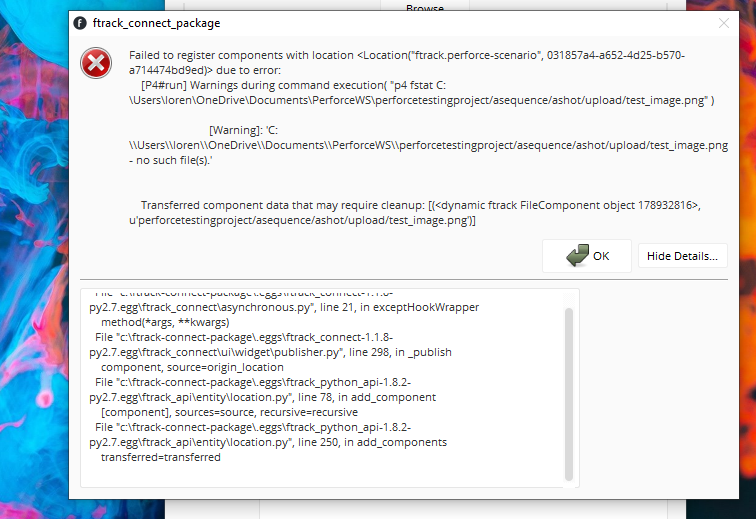
File not in view
Cause
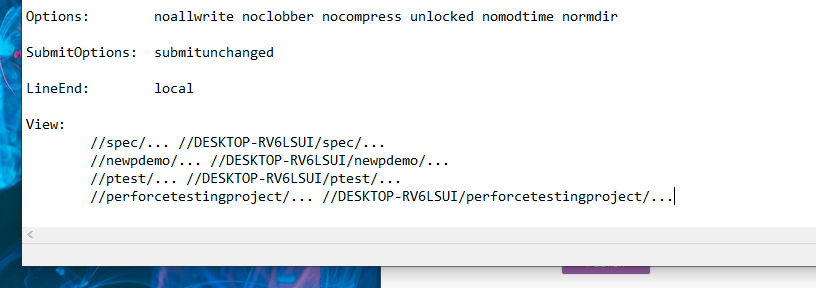
The project depot view was incorrectly added to the p4 configuration for the current user.
Error
The above means that the view Perforce is referring to (the project) is incorrectly mapped.
Solution
- Ensure the view is part of the current perforce's user configuration.
Login timeout
Cause
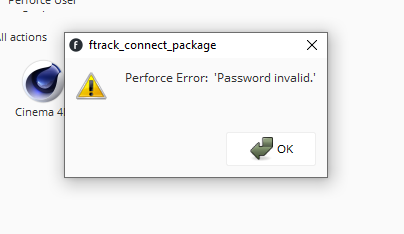
After some time, the perforce session times out and asks to be reconnected.
Error
Solution
The default timeout is defined on a per-group basis. There are two options to fix this: